
Add a widget to Guesty
Copy your widget's code from Embeddable and paste it into an HTML Code component on your Guesty site.
To show a widget on your Guesty site, copy its code from Embeddable and paste it into an HTML Code component.
Get the code from Embeddable
- Open your widget in Embeddable and click Get the code at the top of the editor. You can also click Get the code next to the widget in your widget list.
- If the dialog says Publish first, publish your widget. The code only works on your site once the widget is published.
- Click Copy code.
For more about this dialog and its optional settings, see Embed a widget on your website.
Add the code to Guesty
-
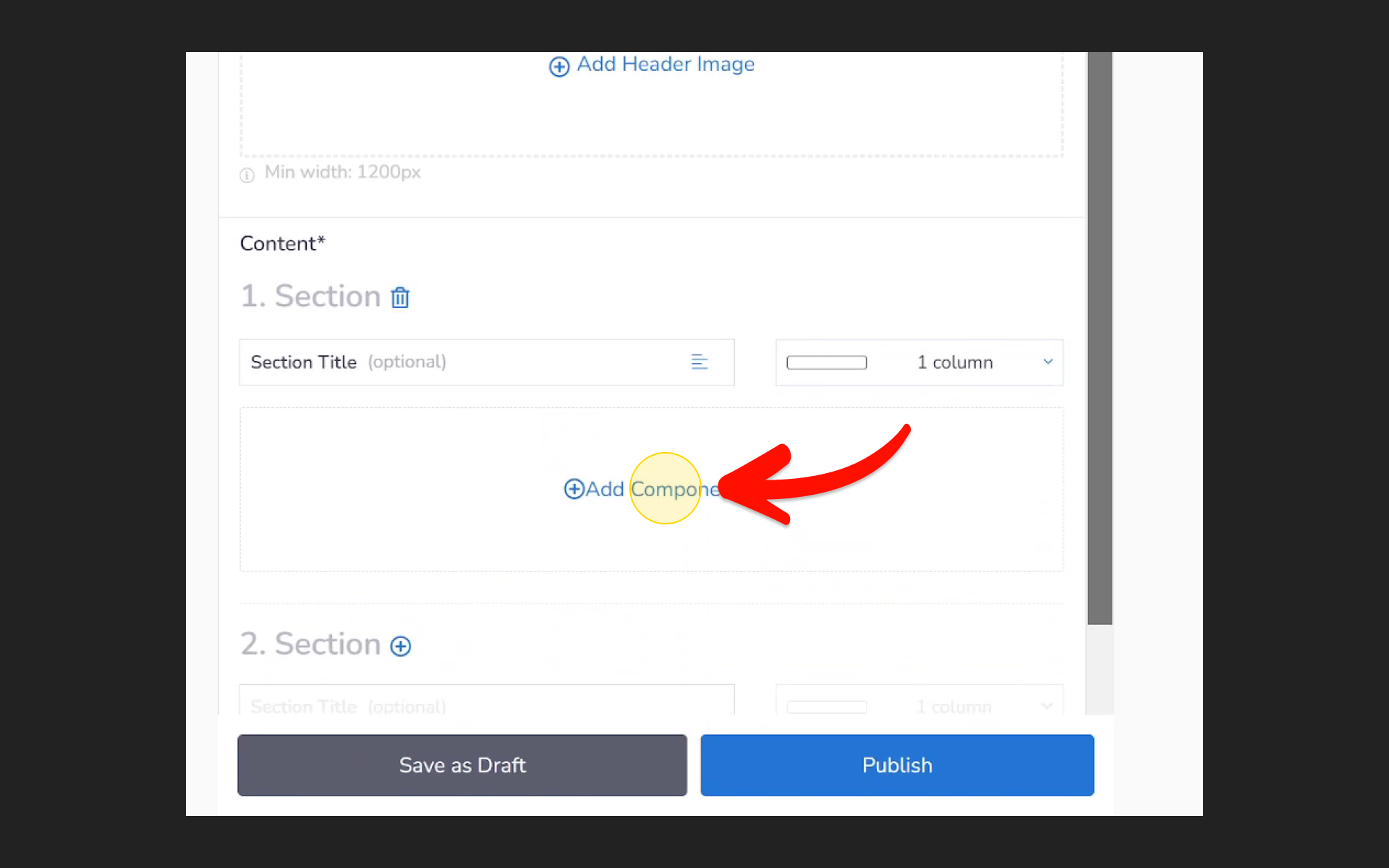
In the Guesty site editor, go to the page where you want the widget and click Add Component.
-
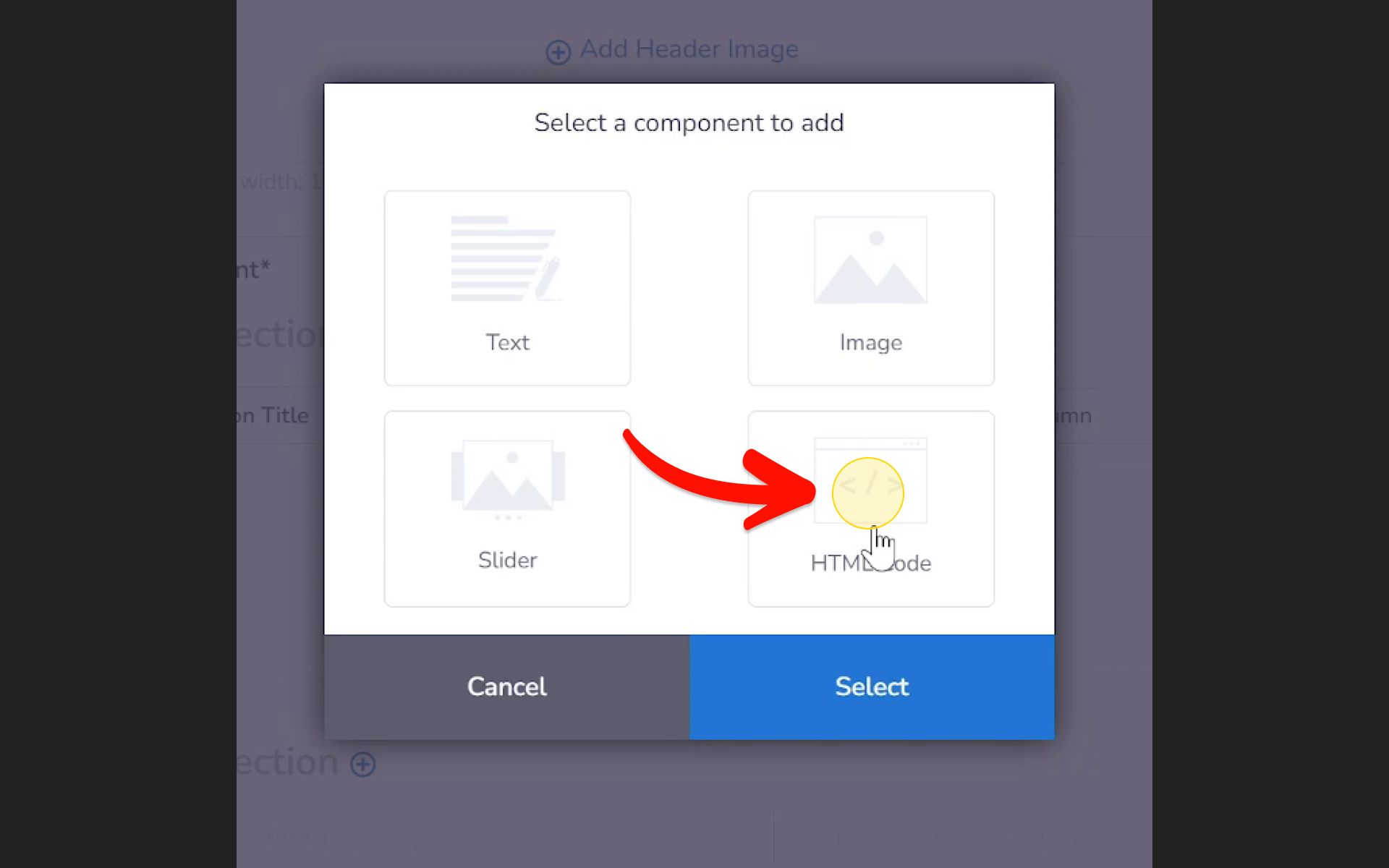
Click HTML Code.
-
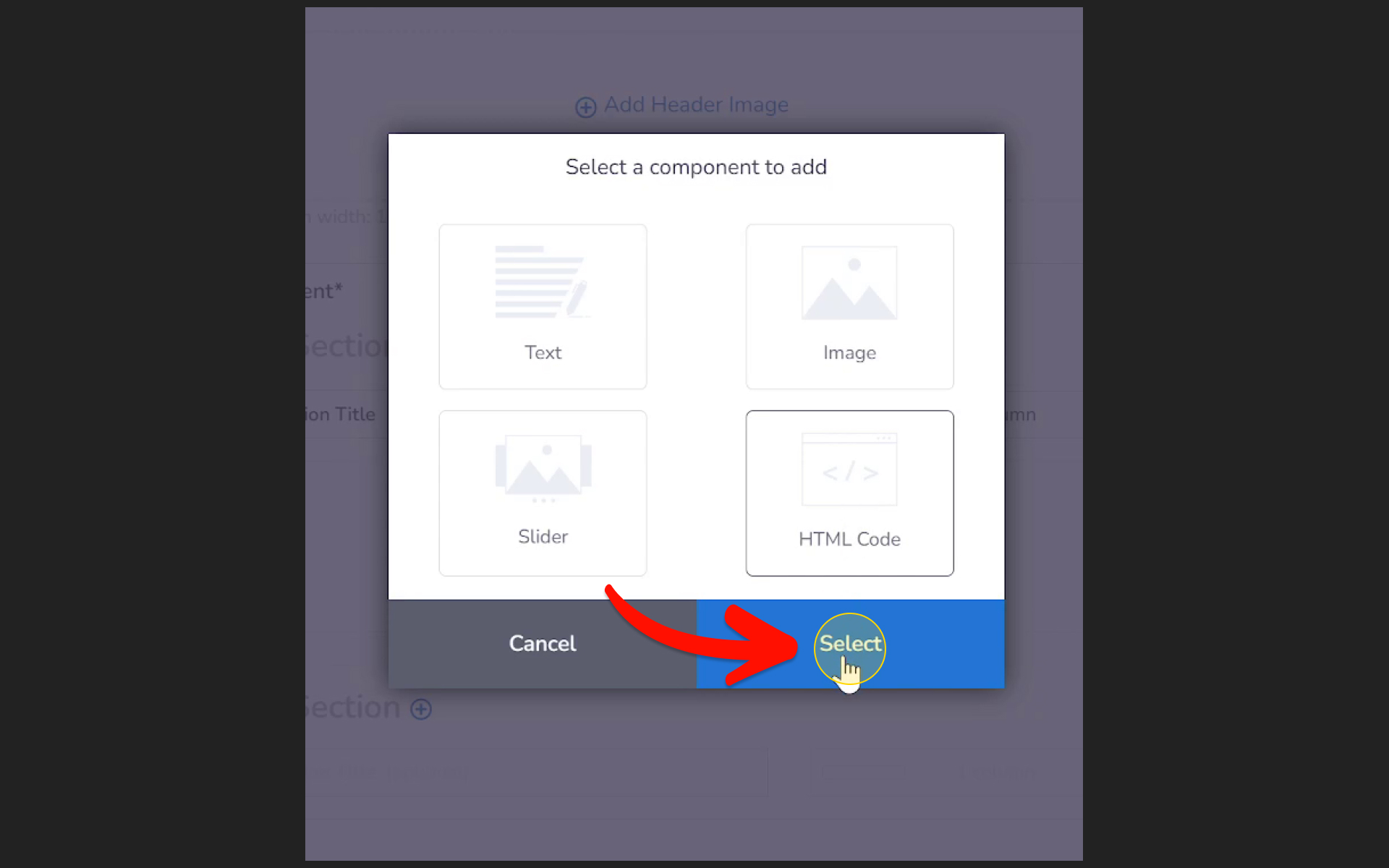
Click Select.
-
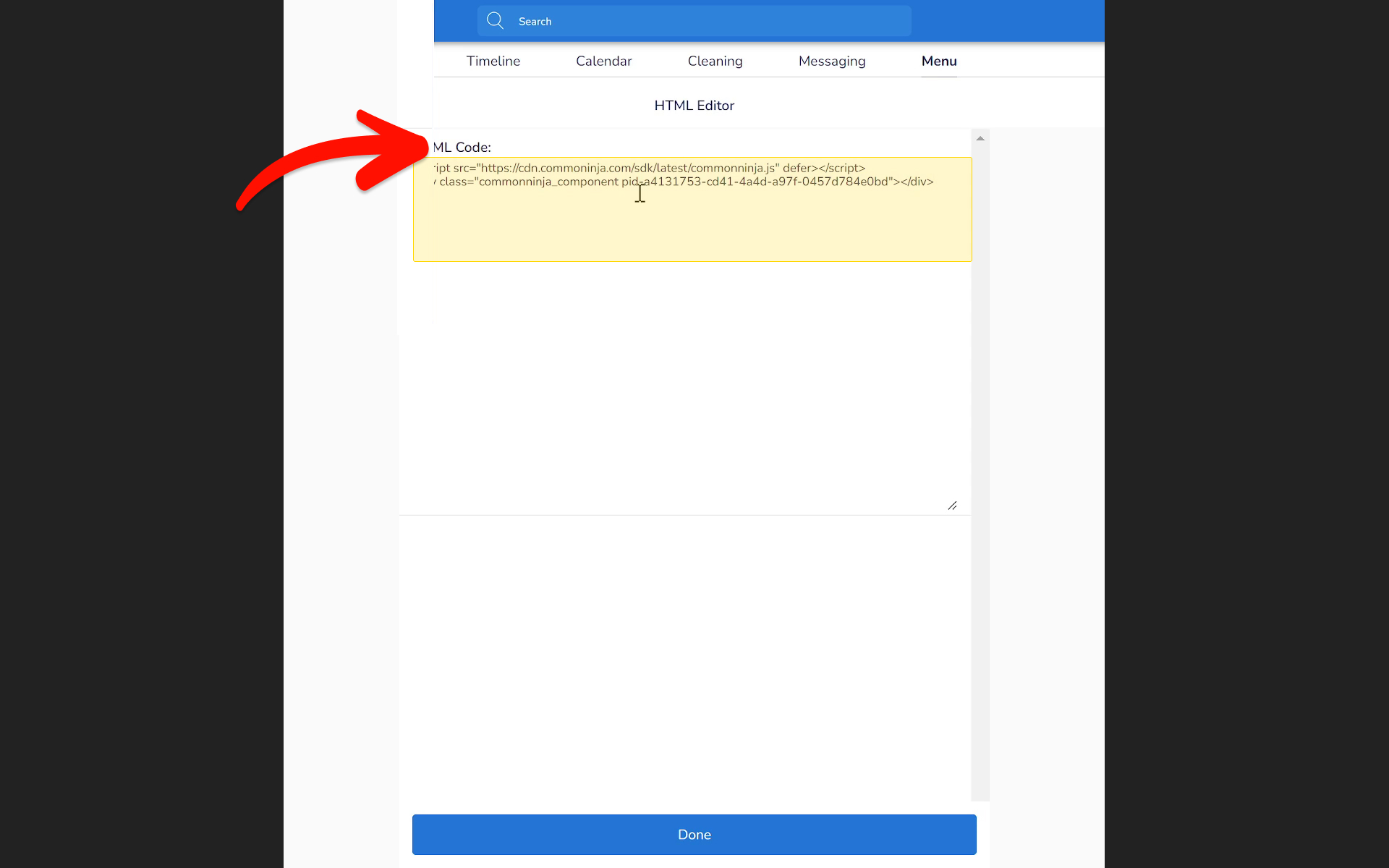
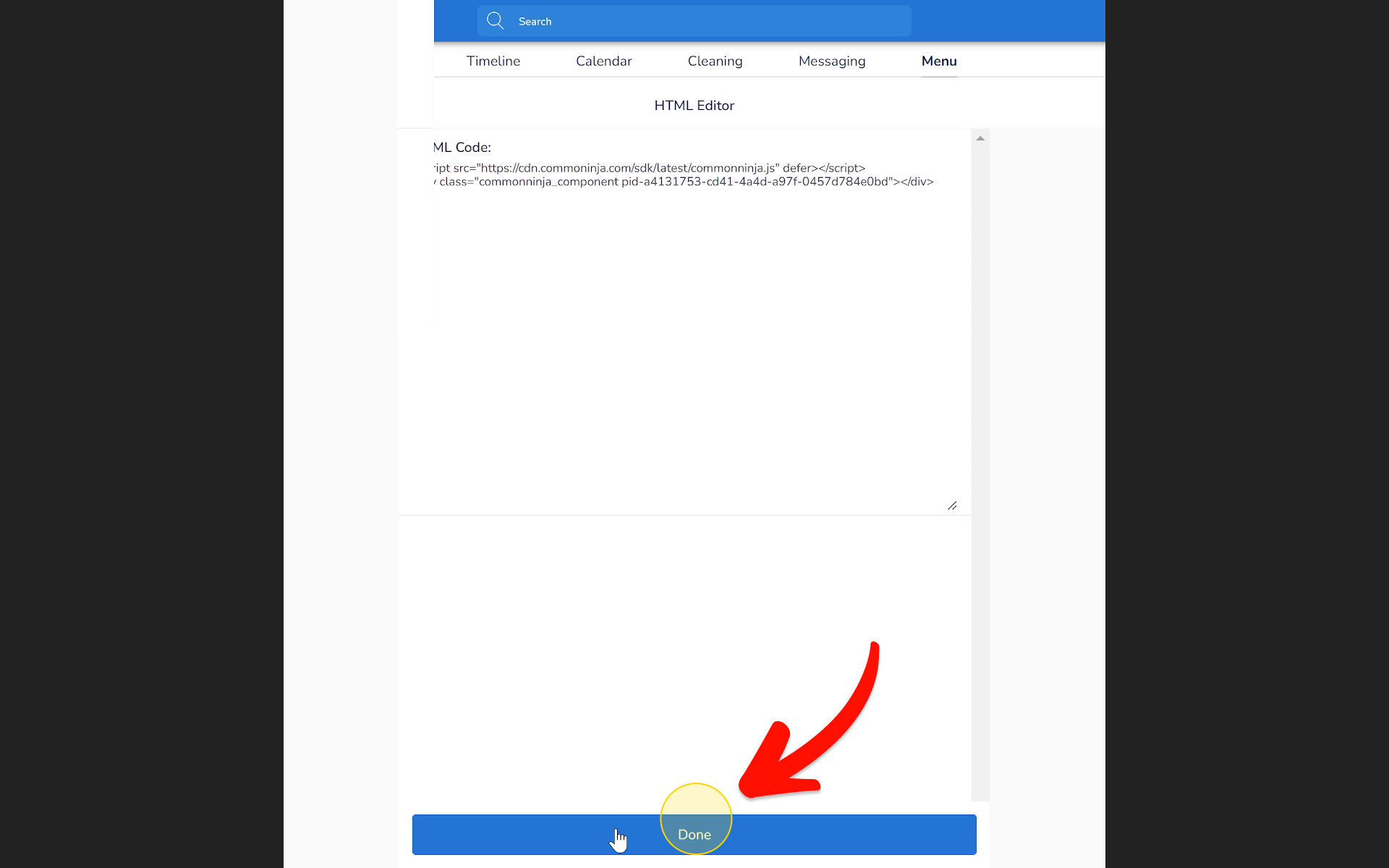
Paste the code into the HTML Code field.
-
Click Done.
-
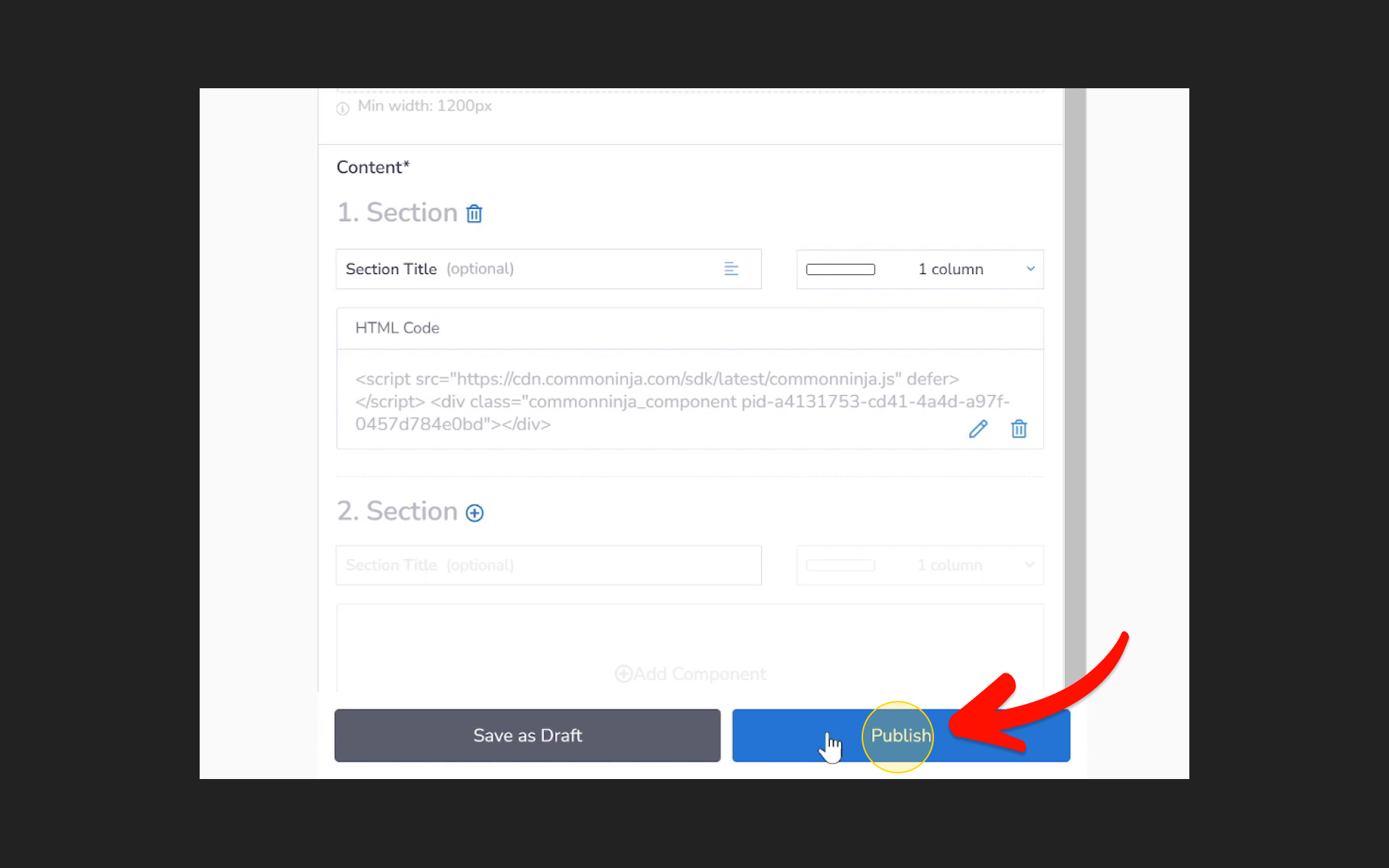
Click Publish to make the change live.
Check it on your live site
If you don't see the widget right away, reload your live site.
You only paste the code once. When you change the widget in Embeddable later and publish it, your site shows the new version without any change on Guesty's side.
If the widget still doesn't show, email us through the contact page with a link to the page.
Did this answer your question?
Your feedback helps us improve.